How to Automate COI Intake for Vendor Onboarding
Every company that works with outside vendors eventually hits the same wall: collecting certificates of insurance. It sounds simple enough. A vendor submits proof of coverage, someone on your team reviews it, and the relationship moves forward. In practice, this process is a mess. Emails get buried. PDFs sit in shared drives with no naming convention. Coverage limits don't match contract requirements, and nobody catches it until a claim forces the issue. The real cost isn't just administrative time, though that alone is staggering. It's the risk exposure that builds silently while your team chases down documents that may already be expired.
Automating COI intake during vendor onboarding isn't a nice-to-have anymore. It's table stakes for any organization managing more than a handful of third-party relationships. The companies doing this well have moved from periodic fire drills to a constant state of awareness about their vendor insurance compliance. Those still relying on spreadsheets and inbox searches are playing a game they'll eventually lose. What follows is a practical, step-by-step breakdown of how to build an automated COI collection process that actually holds up under pressure, not just during audits but every day your vendors are on the job.
Why COI Intake Is One of the First Vendor Onboarding Bottlenecks
Think about what happens when a new vendor gets approved. Someone in procurement or operations signs off, and then the vendor needs to start work quickly. But before that can happen, your risk team needs proof of insurance. This is where the bottleneck forms, and it's predictable enough that you'd think more companies would have solved it by now.
The typical workflow looks like this: an email goes out requesting a certificate of insurance. The vendor forwards it to their broker. The broker generates a certificate and sends it back, sometimes within hours, sometimes within a week. Your team receives the document, opens the PDF, and manually checks coverage types, limits, additional insured status, and expiration dates. If something's wrong, the cycle restarts. Multiply this by 50, 200, or 1,000 vendors, and you've got a full-time job that nobody actually signed up for.
The bottleneck isn't just slow: it's expensive. Every day, a vendor can't start work because their COI is stuck in review, costing money. Projects stall. Operations teams get frustrated and start pressuring risk managers to "just let them start." That's when shortcuts happen, and shortcuts in insurance compliance are practically worthless because they create the illusion of coverage without the substance.
What makes this worse is fragmented visibility. The person requesting the COI might be a project manager in one office. The person reviewing it might be a risk analyst in another department. The data lives in email threads, not a system anyone can query. When a claim happens six months later, nobody can quickly confirm whether the vendor's coverage was actually valid on the date of the incident.
What COI Intake Should Capture From the Start
Most organizations focus on getting a certificate in hand and calling it done. That's like checking that a car has an engine without confirming it has wheels. A COI is only useful if the data on it matches what your contracts require and is stored in a way that's accessible and trackable over time.
At minimum, your intake process should capture the vendor's legal entity name, the types of coverage listed (general liability, auto, workers' comp, umbrella/excess), each policy's limits, the effective and expiration dates, and whether your organization is listed as an additional insured or certificate holder. That's the baseline. But the real value comes from capturing this information in structured fields, not just as a scanned document sitting in a folder.
Structured data is what makes everything downstream possible. You can't build renewal alerts off a PDF. You can't run compliance reports against unstructured files. You can't quickly answer the question "which of our 300 active vendors have general liability coverage below $2 million?" if the answer requires opening 300 individual documents.
The intake process should also flag gaps immediately. If a vendor submits a COI that's missing workers' compensation coverage and your contract requires it, that gap needs to surface right away, not three weeks later when someone gets around to reviewing the file. This kind of real-time validation is where automation earns its keep, turning what was a reactive process into a proactive one.
Step 1 — Connect COI Intake to Vendor Risk Type
Not every vendor presents the same level of risk, and your COI requirements shouldn't pretend otherwise. A janitorial service working in your building after hours carries different exposure than a construction subcontractor operating heavy equipment on your property. Treating them identically wastes everyone's time and creates compliance noise that obscures real problems.
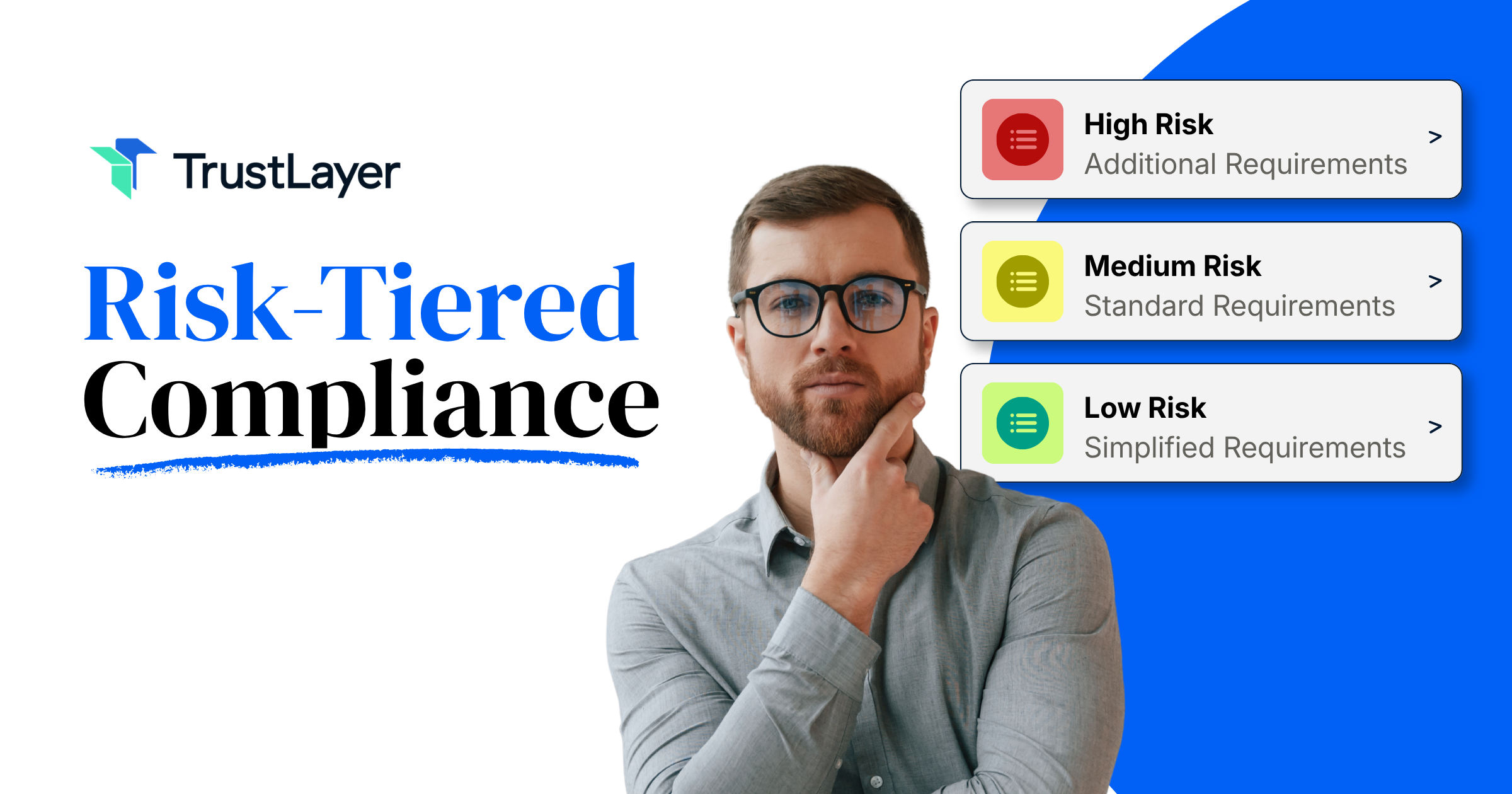
The first step in building an automated certificate of insurance intake process is mapping your vendor categories to specific insurance requirements. This usually means creating tiers. A simple three-tier model works for most organizations: low risk (vendors with minimal physical presence or data access), moderate risk (vendors performing on-site work or handling sensitive information), and high risk (vendors doing hazardous work, operating vehicles, or managing critical systems).
Each tier gets its own set of required coverage types and minimum limits. Low-risk vendors might only need general liability at $1 million per occurrence. High-risk vendors might need general liability, auto, workers' comp, umbrella coverage, and professional liability, all at higher thresholds. When a new vendor enters your onboarding pipeline, their risk classification should automatically determine what documentation gets requested.
This is where centralizing control while decentralizing execution pays off. Your risk team sets the rules: which tiers exist, what coverage each requires, and what limits are acceptable. But the actual collection can be triggered by project managers, procurement teams, or whoever initiates the vendor relationship. The rules follow the vendor, not the person requesting them. Without this structure, you end up with inconsistent requirements across departments and no reliable way to audit compliance at scale.
Step 2 — Automate Document Requests
Once you know what each vendor needs to provide, the next question is how to ask for it without generating a mountain of manual work. This is where most organizations bleed time, sending individual emails, attaching requirement summaries, and hoping vendors respond promptly.
An automated request system sends the right requirements to the right vendor at the right time, without someone on your team composing an email for each one. When a vendor is assigned a risk tier during onboarding, the system generates a request specifying exactly which coverage documents are needed. The vendor (or their broker) receives clear instructions, uploads documents to a centralized portal, and your team gets notified when submissions arrive.
The key distinction here is between synchronous and asynchronous request patterns. For high-risk vendors starting hazardous work next week, you want synchronous workflows: immediate requests with tight deadlines and escalation paths if deadlines pass. For routine, lower-risk vendor relationships, asynchronous patterns work fine. The request goes out, the vendor responds within a reasonable window, and work proceeds once documentation is confirmed.
Automated requests also create an audit trail. You can see when each request was sent, when the vendor opened it, when they submitted documents, and what was submitted. This trail is worth its weight in gold during disputes or claims investigations. Compare that to digging through someone's email archive trying to reconstruct a timeline from six months ago.
Step 3 — Reduce Manual Follow-Up During Onboarding
Follow-up is where the real hours disappear. A vendor doesn't respond to the initial request. Someone on your team sends a reminder. Still nothing. Another reminder. Maybe a phone call. Meanwhile, the operations team is asking why the vendor hasn't started yet, and your risk analyst is spending their day as a glorified email chaser instead of actually managing risk.
Automated reminders and escalation sequences solve this problem without adding headcount. A well-designed system sends the first reminder after a set number of days, a second reminder with increased urgency. Then it escalates to the vendor's primary contact or your internal stakeholder if the deadline passes without a submission. The tone can shift with each step, from friendly nudge to formal notice.
What matters most is that these follow-ups happen reliably and consistently across every vendor. Manual processes are inherently inconsistent. The vendor who is onboarded during a busy week gets less attention than one onboarded during a slow period. Automation removes that variability. Every vendor gets the same treatment, every time.
This also shifts the institutional mindset from periodic check-ins to continuous awareness. Your team doesn't need to maintain a spreadsheet of who's been contacted and who hasn't. The system tracks it. Your risk analysts can focus on reviewing documents that have actually been submitted, flagging genuine coverage issues, and making judgment calls that require human expertise, not chasing paperwork.
Step 4 — Review COIs Against Actual Requirements
Here's where many organizations create an expensive illusion of compliance. They collect COIs, file them away, and assume everything's fine. But collecting a document and verifying its contents are two entirely different activities. A certificate sitting in your system with inadequate limits or missing coverage types is worse than no certificate at all, because it gives you false confidence.
Automated review compares the data extracted from submitted certificates against the specific requirements tied to that vendor's risk tier. If the contract calls for $2 million in general liability and the submitted COI shows $1 million, the system flags it immediately. If workers' compensation is required but not listed on the certificate, that gap surfaces before the vendor starts work, not after an injury on your property.
This is the fundamental gap between checkbox compliance and actual risk management. A checkbox approach asks, "Did we receive a COI?" Real risk management asks, "Does the COI meet our requirements, and is the coverage currently active?" Those are very different questions, and only one of them protects your organization.
The review process should also account for common errors: certificates listing the wrong entity as an additional insured, policies with retroactive dates that don't cover the contract period, or endorsements referenced but not attached. These aren't edge cases. They show up constantly, and catching them requires either a very detail-oriented human reviewer or a system that automatically spots discrepancies.
Step 5 — Carry COI Data Into Renewal Tracking
Onboarding is just the beginning. Insurance policies expire, typically annually, and a COI that was valid when a vendor started work can lapse without anyone noticing. This is where vendor insurance tracking becomes a continuous operation rather than a one-time onboarding task.
When COI data is captured in structured fields during intake, renewal tracking becomes straightforward. The system knows when each policy expires and can automatically trigger renewal requests, typically 30 to 60 days before expiration. The vendor or their broker receives a new request, submits updated documentation, and the cycle continues without your team having to monitor hundreds of expiration dates manually.
Without this link between intake and renewal, you end up with a coverage gap problem that grows over time. In the first year, maybe 10% of your vendors have lapsed certificates. By year three, that number can climb to 30% or higher. Each lapsed certificate represents uninsured exposure that your organization is carrying without knowing it.
The renewal process should mirror the intake process: automated requests, escalating reminders, and flagging any coverage changes that don't meet your requirements. A vendor might renew their policy while reducing their limits or dropping a coverage type they previously carried. Your system should catch those changes, not just confirm receipt of a new certificate. This is the difference between compliance theater and genuine, continuous risk awareness.
Final Takeaway
Automating COI collection for vendor onboarding isn't about buying a tool and flipping a switch. It's about building a process that connects risk classification to document requirements, removes manual busywork from your team's plate, validates coverage against actual contract terms, and carries that vigilance through the entire vendor relationship. The organizations getting this right aren't just faster at onboarding: they're fundamentally better at understanding their real exposure at any given moment.
The shift from reactive fire drills to continuous compliance monitoring is one of the most impactful changes a risk management team can make. It frees your people to focus on judgment and strategy instead of chasing emails and opening PDFs. It gives leadership actual visibility into program effectiveness rather than a stack of unchecked certificates that look good in a filing cabinet.
If you're ready to move past spreadsheets and manual follow-ups, TrustLayer has built a purpose-driven platform for exactly this problem, helping hundreds of thousands of companies automate the collection, verification, and tracking of certificates of insurance. Book a demo to see how it works for your team, and check out other TrustLayer articles for more practical guidance on building a modern risk management program.
You might also like

.png)