Vendor Inventory in 30 Days: The Fast Way to Start a Compliance Program
Most compliance programs don't fail because of bad policy. They fail because nobody knows who the company actually does business with. Ask a mid-sized organization how many vendors it uses, and you'll typically get three answers: one from finance, one from procurement, and a shrug from operations. That gap is where uninsured subcontractors, expired certificates, and surprise liability claims hide.
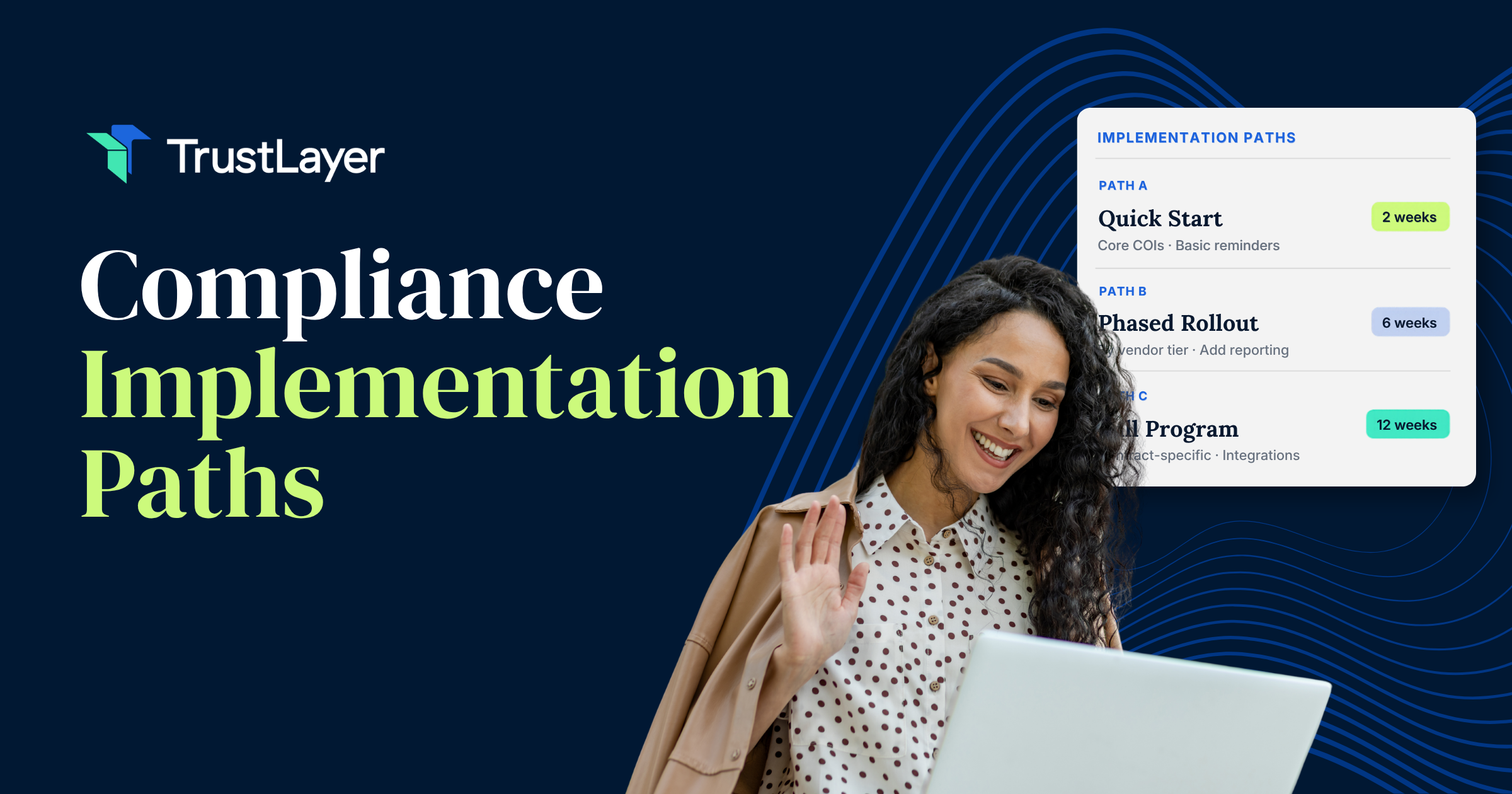
The good news is that building a working vendor inventory doesn't require a six-month consulting engagement or a new ERP. A focused team can assemble a usable list, sort it by risk, set insurance baselines, and start verifying documents within a single month. It won't be perfect on day 30, and it doesn't need to be. It needs to be real, centralized, and good enough to act on.
What follows is a week-by-week plan for doing exactly that, written for risk managers, operations leads, and anyone who has inherited a "compliance program" that turns out to be a shared drive full of PDFs. Each phase builds on the last, so resist the urge to skip ahead. The sequencing is the point.
Why Speed Matters in Building Your Vendor Inventory
There's a tempting argument for going slow: get the data model right, pick the perfect tool, and map every edge case before you touch a spreadsheet. In practice, that approach produces a beautifully designed program that never launches. Meanwhile, vendors keep showing up on job sites, in server rooms, and at your loading dock with coverage nobody has checked.
Every week without an inventory is a week of unmeasured exposure. If a contractor's general liability policy lapsed in March and they injure someone in May, being "still scoping the project" won't help your claims position. An incomplete list you can act on beats a complete list that doesn't exist yet.
Speed also creates organizational momentum. A 30-day sprint gives leadership a clear deliverable and a date, making it much easier to pull people from finance, IT, and facilities into the work. Open-ended initiatives get deprioritized; time-boxed ones get calendar invites.
Finally, moving fast surfaces your real problems early. Within the first week, you'll discover that departments sign contracts without telling anyone, that vendor names are spelled four different ways in accounts payable, and that half your certificates of insurance are years old. Better to learn that in week one than in a deposition.
Week 1: Centralizing Dispersed Vendor Data
The first week has one goal: get every vendor name into a single place. Not clean, not categorized, just collected. The primary failure mode in most organizations is fragmented visibility, where project teams, site managers, and central risk management each hold a partial picture, and nobody sees the whole thing until a claim forces the question.
Auditing Accounts Payable and Procurement Records
Start where the money goes. Pull a report of every payee from accounts payable for the last 24 months, plus any active purchase orders and master service agreements from procurement. Payment data is the closest thing you'll have to ground truth, because if you paid someone, you did business with them.
Expect a mess. You'll find "ABC Plumbing," "ABC Plumbing LLC," and "A.B.C. Plumbing Inc." listed as separate entities. Deduplicate using tax IDs where possible, and flag one-time payees separately so they don't clutter your active list. A practical tip: filter out utilities, government agencies, and employee reimbursements early. They inflate the count without adding risk you can manage through vendor compliance.
Identifying Shadow IT and Departmental Contracts
Accounts payable won't catch everything. Corporate cards, departmental budgets, and free-tier software signups all create vendor relationships that never touch procurement. Send a short survey to every department head asking three questions: who do you pay, who has access to your facilities or data, and who works on your behalf?
Pull corporate card statements too. Recurring SaaS charges and repeated payments to the same local contractor are strong signals. By Friday, you should have a raw master list, probably larger than anyone expected.
Week 2: Categorizing Vendors by Risk Profile
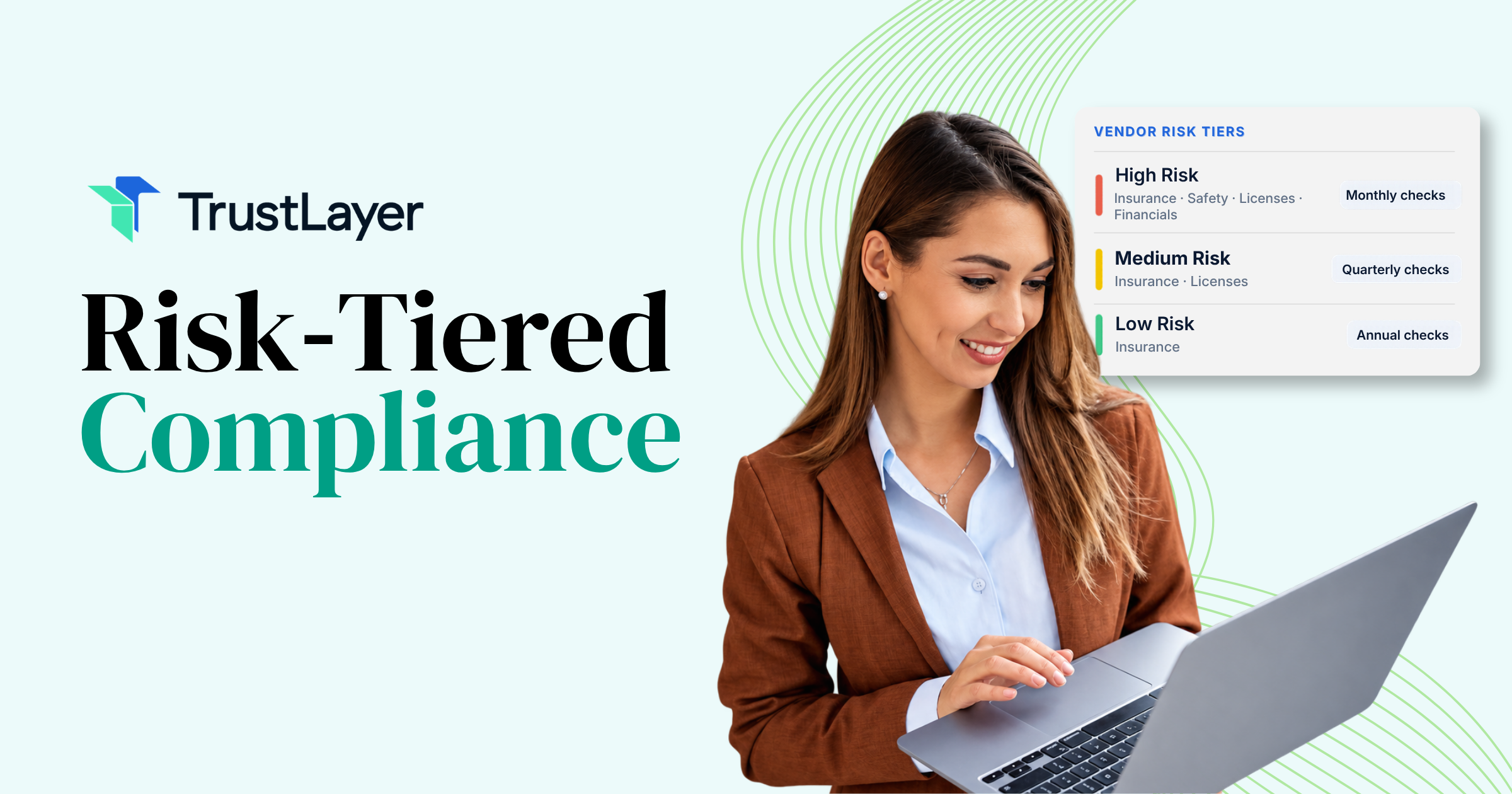
A list of 1,400 vendors is useless if you treat them all the same. Week two is about sorting, so that your limited attention goes where the exposure actually lives. The office supply company and the crane operator should not get the same level of scrutiny.
A simple three-tier model works for most organizations starting out:
- High risk: Vendors performing physical work on your premises, handling sensitive data, operating vehicles or heavy equipment, or working in regulated activities. Think general contractors, electricians, security firms, and anyone with access to customer records.
- Medium risk: Vendors with limited on-site presence or indirect access, such as janitorial services, catering, consultants who visit occasionally, or software vendors without access to sensitive systems.
- Low risk: Vendors with no premises access and minimal liability exposure, like subscription publications, off-the-shelf product suppliers, and one-time online purchases.
Assign tiers using a handful of questions rather than a lengthy scoring rubric. Does this vendor come on-site? Do they touch our data? Could their mistake injure someone or trigger a regulatory penalty? Two "yes" answers usually mean high risk.
Don't agonize over borderline cases. Default them up a tier and revisit later. Most organizations find that 15 to 25 percent of their vendors land in the high-risk tier, and that's where you'll focus weeks three and four.
Week 3: Establishing Insurance and Compliance Baselines
Now that you know who matters most, decide what "compliant" actually means for each tier. Without a written baseline, verification becomes a judgment call that varies by reviewer. That inconsistency is a fundamental gap, and plaintiffs' attorneys love to find it.
Defining Minimum Coverage Requirements
Work with your broker and legal counsel to set requirements per tier. For high-risk vendors, a typical baseline includes general liability, workers' compensation, commercial auto if vehicles are involved, and often umbrella coverage. You'll also want to specify whether you need to be named as an additional insured, whether a waiver of subrogation is required, and what notice of cancellation you expect.
Here's where many programs go wrong. They collect a certificate, see the right policy types listed, and call it done. A COI showing general liability but missing the additional insured endorsement is like a car with an engine but no wheels: it looks like the real thing in the driveway, but it won't take you anywhere when you need it. Your baseline must spell out the endorsements and limits, not just the coverage categories.
Medium-risk vendors can have lighter requirements, and low-risk vendors may need nothing beyond a signed agreement. Document all of it in a one-page matrix that anyone on the team can reference. If your contracts don't already include these requirements, flag that now; you'll need updated language for renewals.
Week 4: Launching Your Verification Workflow
Week four turns your inventory and baselines into an operating process. This is also where governance matters. The best model centralizes control while decentralizing execution: the risk team owns the standards, tier definitions, and exception approvals, while project leads and site managers handle day-to-day follow-up with the vendors they work with. Routing every request through one central inbox creates a bottleneck that stalls projects and breeds workarounds.
It also helps to decide which requests block work and which don't. For high-risk or regulated activities, use a synchronous pattern: no verified coverage, no site access, no exceptions without sign-off. For routine, lower-risk operations, an asynchronous pattern often makes more sense, letting work proceed while documents are collected, because a week of delay can cause more damage than a short documentation gap.
Automating Certificate of Insurance (COI) Collection
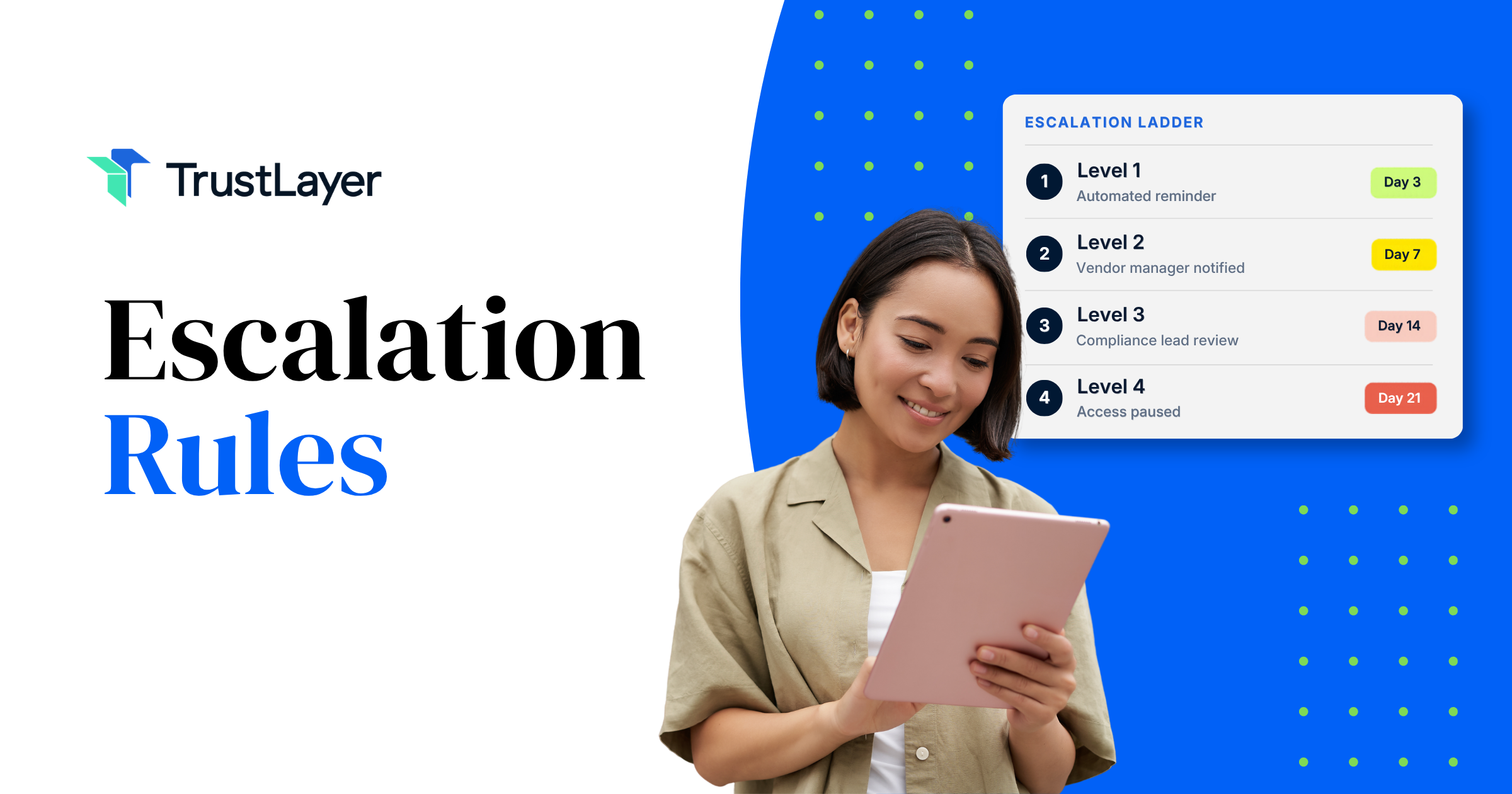
Manual collection is where most programs quietly die. Someone emails a vendor, waits, forgets, emails again, receives a blurry scan, and files it without reading the endorsements. Multiply that by a few hundred vendors and renewal dates scattered across the calendar, and you have a full-time job nobody signed up for.
Automating requests, reminders, and expiration tracking keeps the process running without depending on one person's memory. Start with your high-risk tier, send collection requests in a single batch, and track response rates weekly. Whatever tool you choose, make sure it records what was requested, what was received, and whether it met your baseline.
Overcoming Common Obstacles to Rapid Implementation
Every 30-day rollout hits friction. The obstacles are predictable, which means you can plan for them.
Departmental resistance is usually the first. Teams that have managed their own vendors for years may see a central inventory as surveillance or bureaucracy. Frame it around protection rather than control: when a vendor's uninsured employee gets hurt, it's the project lead who gets the uncomfortable phone call. Show them how the program shields them.
Vendor pushback comes next. Small contractors may not know what an additional insured endorsement is, or they may repeatedly send the same outdated certificate. Give them a plain-language explanation of what you need and a direct line to their agent. Most vendors comply once the request is clear.
Then there's data quality. Your AP export will have gaps, your department surveys will have inconsistent answers, and some contracts simply won't be findable. Accept that the first version will be roughly 80 percent accurate. Mark unknowns clearly, assign owners to resolve them, and keep moving.
The final obstacle is leadership attention. Report progress in terms of business impact: how many high-risk vendors are now verified, how many coverage gaps were found and closed, and what exposure remains open. Executives respond to measured risk reduction, not to activity counts.
Maintaining Your Inventory Long-Term
Finishing the 30-day sprint is the starting line, not the finish. An unmaintained inventory decays quickly. Certificates expire, vendors change ownership, new departments sign new contracts. Within six months, an untended list becomes an expensive illusion: it looks like oversight but provides almost none.
The goal is shifting from a fire drill to a constant state. Many organizations treat compliance as something they scramble to assemble before an audit, then ignore until the next one. That pattern produces compliance theater, where documents exist to satisfy reviewers rather than to reflect actual coverage. A sustainable practice means knowing any vendor's status at any moment, not just the week before auditors arrive.
A few habits make that possible:
- Gate new vendors at onboarding. No purchase order or site access until the vendor is in the inventory with a risk tier assigned.
- Track expirations continuously. Request renewals 30 to 45 days before policies lapse, not after.
- Review tiers annually. A vendor's scope of work can change, and their risk profile should change with it.
- Report on program effectiveness quarterly. Measure compliance rates by tier, average time to resolve gaps, and number of vendors working while non-compliant.
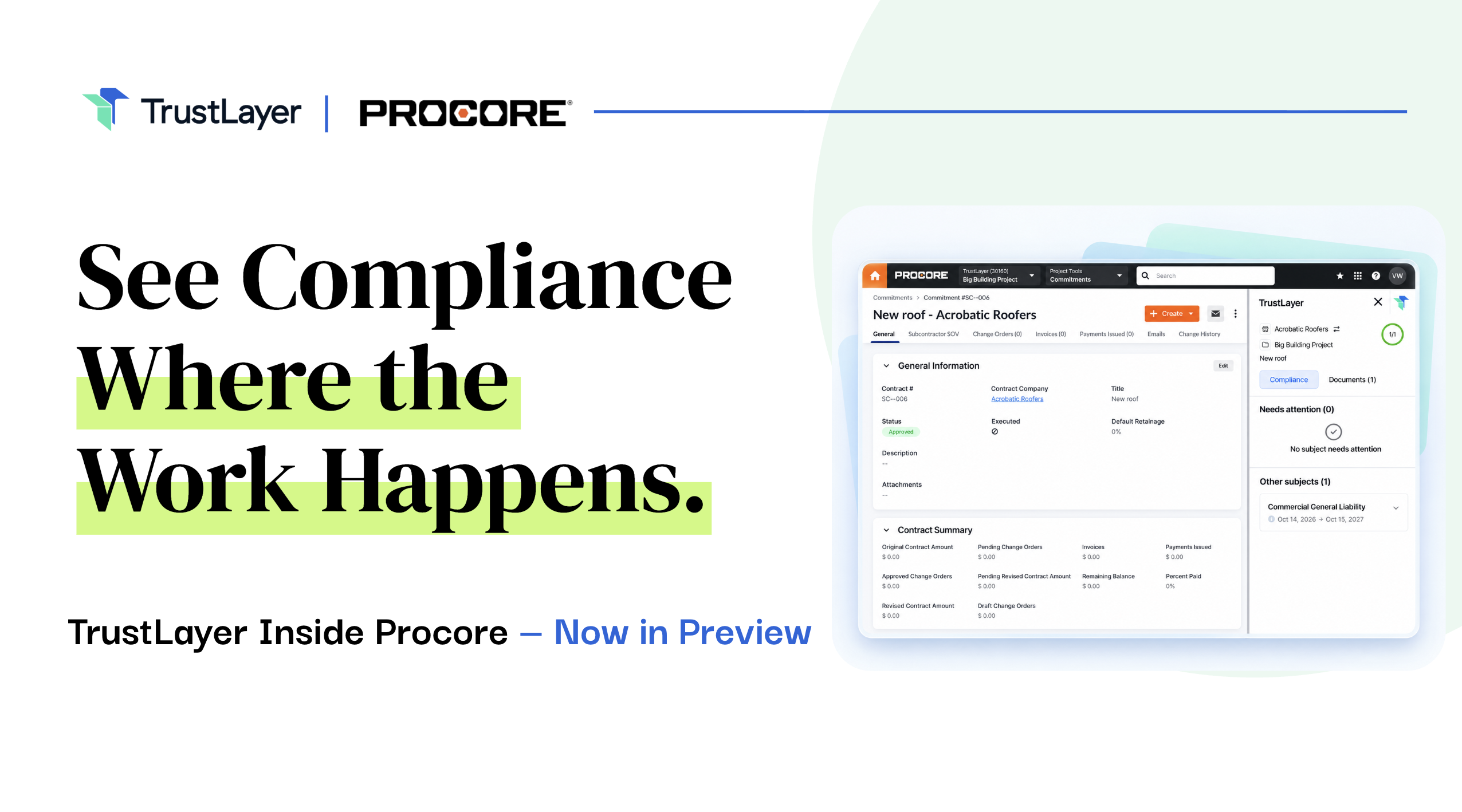
Live dashboards help here, because they replace periodic reporting with continuous awareness. When a site manager can see a subcontractor's coverage expired yesterday, they can fix the problem today instead of discovering it during a claim.
Scaling Your Compliance Program with TrustLayer Experts
A month is enough time to go from scattered spreadsheets to a functioning vendor compliance program: one centralized list, clear risk tiers, written insurance baselines, and a verification process that doesn't depend on someone's inbox. The organizations that get this right aren't the ones with the biggest budgets. They're the ones that moved quickly, accepted imperfect first drafts, and kept the process running after launch.
Scaling is the harder part. As vendor counts grow, manual tracking stops being merely tedious and becomes practically worthless, because nobody can keep up. That's when the structural foundations you built in these 30 days start to pay off, giving automation something solid to work from.
If you're ready to move past manual certificate chasing, TrustLayer was built for modern risk managers who want proof of insurance they can actually trust. Our insurance experts can help you think through tiers, requirements, and rollout for your specific situation. Schedule time to talk with our team, and browse other TrustLayer articles for practical guidance on building a vendor compliance program that holds up when it counts.
You might also like