CMiC Insurance Compliance: How TrustLayer Connects Vendors, Projects, and COI Status
Your subcontractor already exists in CMiC.
The project already exists in CMiC.
The subcontract already exists in CMiC.
So why should your risk team have to recreate all of it somewhere else just to manage insurance compliance?
That is the problem the TrustLayer + CMiC integration is designed to solve.
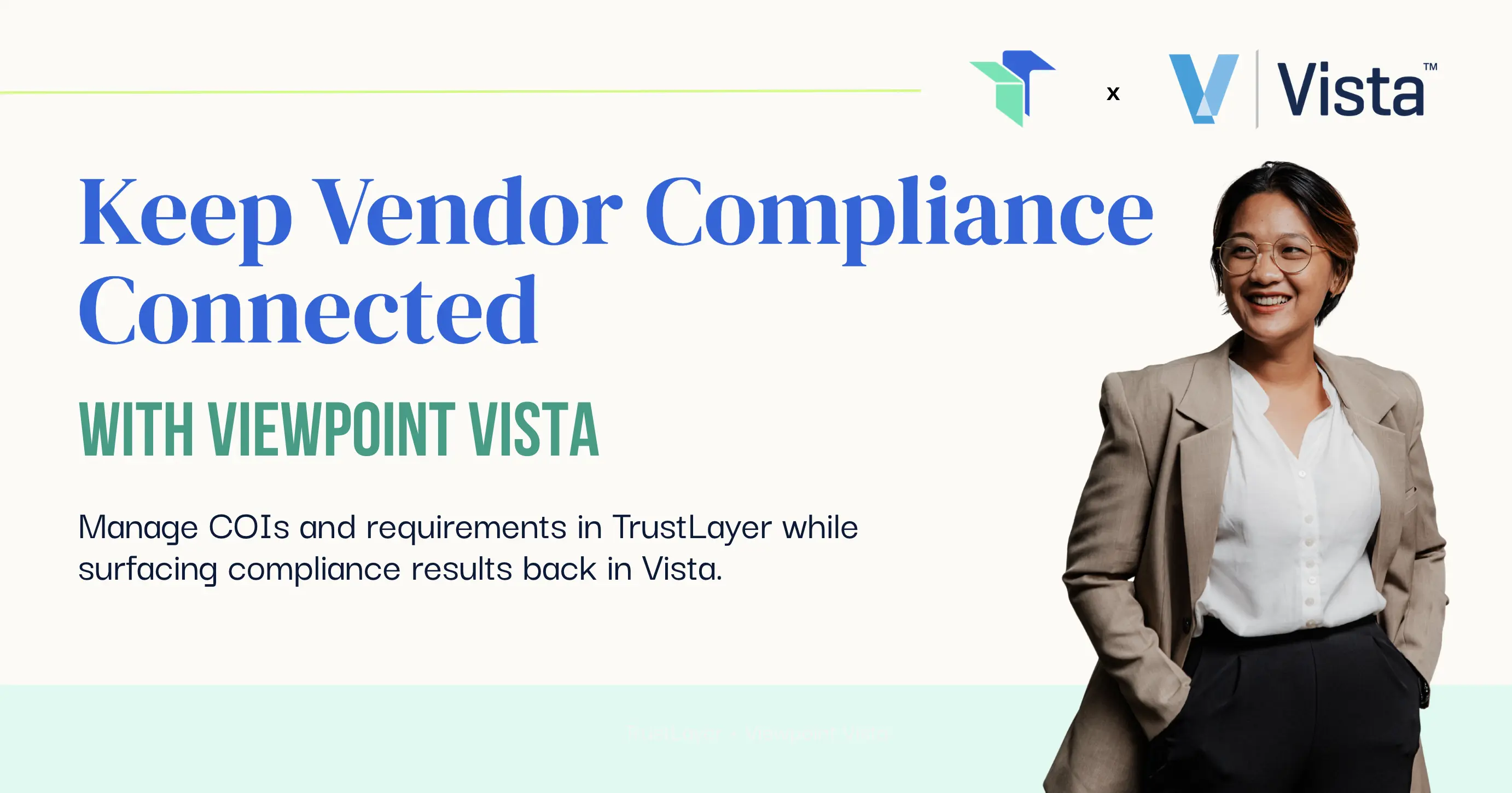
TrustLayer connects the construction records your team already maintains in CMiC with the insurance compliance workflow. Vendors, contacts, projects, and subcontracts can move into TrustLayer, where compliance is managed, and compliance status can move back into CMiC so project teams can see what needs attention.
The goal is simple: keep compliance connected to the work without creating another disconnected version of your operation.
Quick Answer: What Does the TrustLayer + CMiC Integration Do?
TrustLayer connects CMiC construction records with insurance compliance workflows.
The integration can:
- Import vendors and contacts from CMiC into TrustLayer
- Import projects and subcontracts
- Connect vendors to the projects where their requirements apply
- Manage insurance compliance inside TrustLayer
- Send compliance status back into CMiC
CMiC remains the system where your construction operation lives.
TrustLayer becomes the place where insurance compliance is collected, evaluated, monitored, and managed.
The integration connects the two.
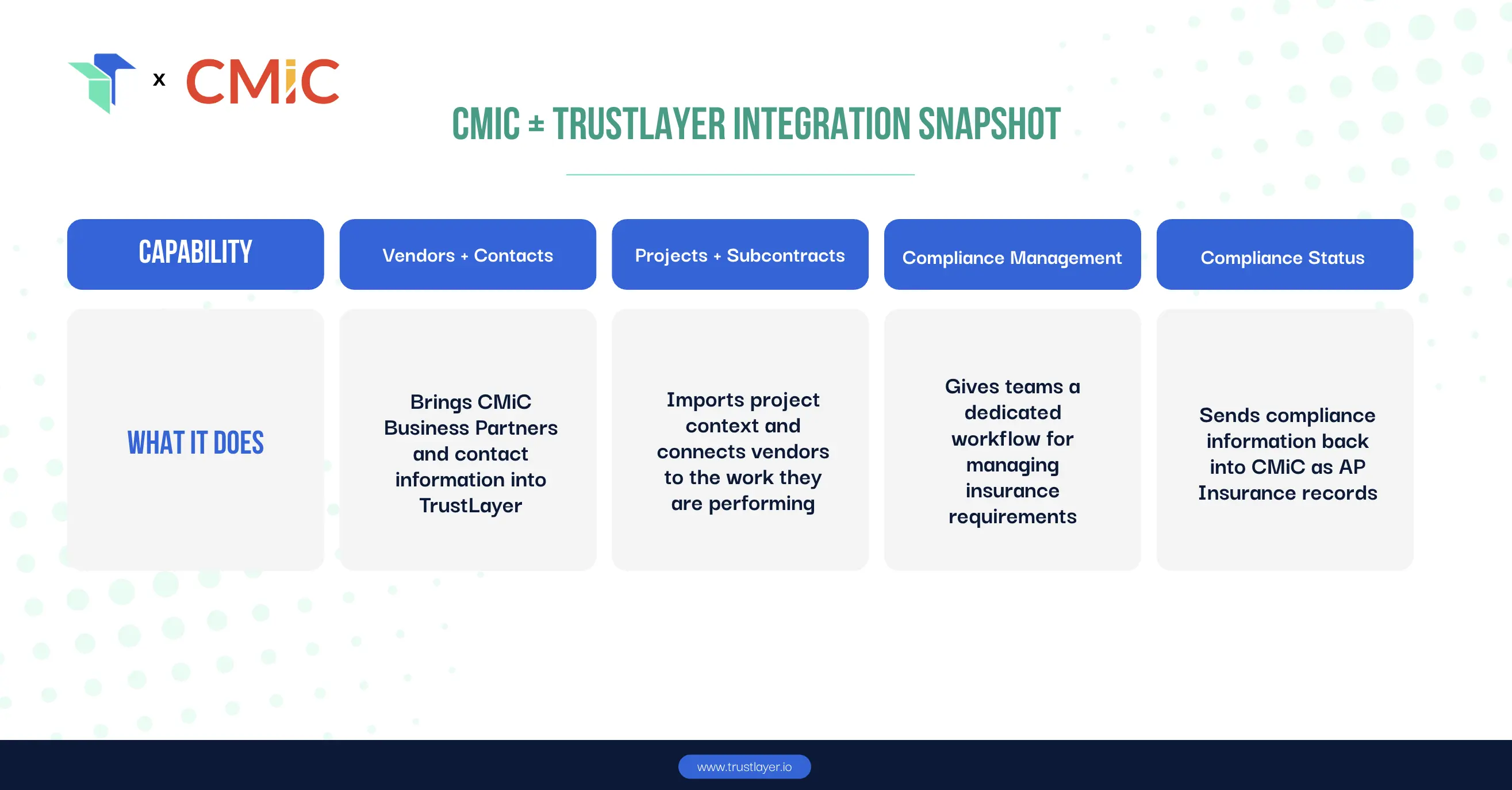
CMiC + TrustLayer Integration Snapshot
Why CMiC Insurance Compliance Gets Complicated
Construction companies usually do not have an information problem.
They already have vendor records, projects, subcontract data, and insurance requirements.
The problem is that those pieces often live in different workflows.
A subcontractor may exist in CMiC while certificates arrive through email. Insurance requirements may be reviewed somewhere else. Renewal follow-up may happen in spreadsheets or inboxes.
Then a project manager needs to know whether a subcontractor is compliant.
Someone has to go find the answer.
The information exists. It just does not always move with the work.
That becomes harder as the number of vendors and projects grows. A spreadsheet that feels manageable with a few dozen vendors becomes a very different operation when hundreds or thousands of third parties have different policies, expiration dates, project relationships, and requirements.
Our guide to automating COI tracking for large vendor networks looks more closely at why manual processes become increasingly difficult to maintain as vendor volume grows.
The CMiC integration addresses another part of that same problem: keeping compliance connected to the construction records your organization already uses.
How the TrustLayer + CMiC Integration Works
The CMiC integration is built around three core movements of information.
1. Import Vendors and Contacts
Your team should not have to recreate a Business Partner simply because insurance compliance is being managed in another system.
TrustLayer can bring CMiC Business Partner records and relevant contact information into the compliance workflow.
That means compliance can begin with vendor records your organization already maintains instead of someone building a second vendor list from scratch.
It is especially useful during onboarding, when duplicate entry can quickly turn one new subcontractor into several separate administrative tasks.
If that part of your process is still heavily manual, our guide to automating COI intake during vendor onboarding explains how document collection and follow-up can become part of a more consistent workflow.
The outcome: less duplicate setup and fewer competing vendor records.
2. Import Projects and Subcontracts
Construction compliance cannot always be understood at the vendor level alone.
The same subcontractor may work across multiple projects. One project may have one set of insurance requirements while another requires different limits, coverages, or documentation.
That is why project context matters.
TrustLayer can import CMiC projects and use subcontract information to associate vendors with the projects where their compliance requirements apply.
Instead of treating a subcontractor as one generic line in a master spreadsheet, the compliance workflow stays connected to the actual work being performed.
The outcome: clearer project context and a better connection between the subcontract and the insurance requirements attached to it.
3. Send Compliance Status Back to CMiC
This is where the integration becomes especially useful for teams outside risk and compliance.
A project manager should not have to send an email every time they want to know: Is this subcontractor compliant?
TrustLayer writes compliance information back into CMiC as AP Insurance records.
That gives CMiC users a way to reference vendor standing inside the construction system they already use instead of relying on a spreadsheet, email thread, or separate status request.
Depending on the configured workflow, compliance information can be represented at the vendor level or associated with a subcontract commitment.
The outcome: project teams get compliance visibility without every user needing to become a compliance-system expert.
What Gets Synced Between CMiC and TrustLayer?
The integration moves different information in each direction.
CMiC → TrustLayer
TrustLayer can import:
- Business Partners / vendors
- Primary and eligible additional contacts
- Projects
- Subcontracts
Subcontract information helps associate the appropriate vendor with the appropriate project inside TrustLayer.
TrustLayer → CMiC
TrustLayer sends compliance status back into CMiC as AP Insurance records.
Those records can include:
- Vendor and company identification
- Compliance type
- Coverage type code
- Compliance flag
- Effective dates
- Expiration dates
When a vendor's compliance status changes in TrustLayer, the corresponding information in CMiC can be updated.
That matters because vendor risk is not something you evaluate once and forget. Policies expire, requirements change, and documentation gets replaced.
Our guide to vendor risk assessment with COI tracking explains why maintaining visibility throughout the vendor relationship matters just as much as collecting the first certificate.
What This Changes for Construction Teams
An integration is not valuable simply because two systems can exchange data.
It is valuable because of the work your people no longer have to do manually.
Risk and Compliance Teams
Spend less time rebuilding vendor and project context before you can begin evaluating insurance.
The records already maintained in CMiC become part of the compliance workflow, giving the risk team more time to focus on exceptions, coverage issues, endorsements, and the vendors that actually need attention.
Project Operations
Get clearer visibility into vendor standing without having to chase risk or compliance for every status update.
That makes it easier to identify vendors that still need attention as work moves forward.
Procurement and Vendor Management
Reduce the gap between onboarding a subcontractor and understanding whether the required insurance documentation is actually complete.
Leadership
Get a more connected view of third-party risk instead of relying on fragmented trackers and one-off status updates from different teams.
Why This Matters More as Vendor Networks Grow
Manual processes usually do not break overnight.
They get progressively harder to maintain.
Thirty subcontractors may feel manageable in a spreadsheet.
Hundreds of vendors spread across projects, contracts, expiration dates, and insurance requirements are a different problem.
Every additional vendor can bring multiple policies, different renewal dates, project-specific requirements, endorsements, exceptions, follow-up, and status questions from internal teams.
And every disconnected system creates another place where information can fall out of sync.
This is one reason vendor insurance compliance stays manual for so many organizations: each task may seem manageable on its own, but the combined workflow becomes harder to scale.
The purpose of integration is not simply to move data faster.
It is to reduce the number of times someone has to recreate, reconcile, or explain the same information.
CMiC Integration vs. Another Standalone Compliance System
There is a reasonable reaction to almost every new piece of software: Great. Another login.
The CMiC integration is meant to avoid turning compliance into another isolated workflow.
TrustLayer does not replace CMiC.
CMiC continues to support the construction operation.
TrustLayer handles the insurance compliance workflow.
The integration helps information move between them.
Project teams can continue working inside CMiC while risk and compliance teams use TrustLayer for workflows such as document collection, requirement evaluation, monitoring, and follow-up.
The goal is not to force every CMiC user to learn another platform.
The goal is to make the systems your teams already depend on work together more effectively.
Compliance Still Starts With the Right Requirements
Connecting CMiC and TrustLayer solves the movement of information, but automation still needs something to evaluate against.
Your team needs to know what insurance a vendor is required to carry in the first place.
Requirements may vary based on:
- Type of work
- Contract
- Project
- Risk level
- Required limits
- Coverage types
- Additional insured requirements
- Other endorsements
If your organization is still standardizing that part of the process, our guide to setting insurance requirements for better vendor relationships is a useful place to start.
Integration connects the workflow.
Clear requirements determine what compliant actually means.
Before You Connect CMiC and TrustLayer
A few things need to be in place before connecting the systems.
CMiC API Access
Your organization needs active CMiC API access.
If API licensing is not already enabled, your CMiC team may need to arrange access before implementation begins.
Dedicated CMiC API Service Account
TrustLayer recommends using a dedicated service account rather than a personal employee login.
This helps keep the integration stable when employees change roles or leave and allows permissions to be scoped specifically for the integration.
Appropriate Permissions
The CMiC service account needs access to the data TrustLayer will use, including relevant Business Partner, project, subcontract, contact, and AP Insurance information.
Project and job security matters, too.
If the account cannot see a project in CMiC, TrustLayer cannot sync it.
TrustLayer Administrative Access
A TrustLayer Organization Admin or Owner is needed to complete the connection.
CMiC Credentials
Setup requires:
- Client ID
- User ID
- Password
The applicable CMiC company code is detected during the connection process.
Project and Business Partner Mapping
During setup, CMiC Projects and Business Partners can be connected to existing TrustLayer records or imported as new records.
New projects and parties can also be configured for automatic import depending on the workflow your organization wants to use.
How Often Does CMiC Sync With TrustLayer?
The two directions work differently.
CMiC → TrustLayer
Imports of vendors, projects, and subcontracts run on a recurring schedule several times each day.
CMiC does not provide real-time webhooks for this inbound data, so changes made in CMiC may not appear in TrustLayer immediately.
If an individual linked Party or Project needs to be refreshed sooner, users can manually trigger a resync rather than waiting for the next scheduled import.
TrustLayer → CMiC
Compliance write-back is event-driven.
When a relevant compliance change occurs in TrustLayer, the update can be sent back to CMiC without waiting for the next scheduled CMiC import.
What Is Not Currently Supported?
Purchase-order synchronization is not currently supported by the CMiC integration.
Subcontracts are used to create and maintain vendor-to-project associations within the current workflow.
That distinction is worth understanding during implementation if your organization relies heavily on both purchase orders and subcontracts.
Frequently Asked Questions
Q: Does TrustLayer integrate with CMiC?
Yes. TrustLayer's native CMiC integration connects CMiC construction records with TrustLayer's insurance compliance workflow.
Q: What CMiC data can TrustLayer import?
TrustLayer can import CMiC Business Partners or vendors, relevant contacts, projects, and subcontracts.
Q: Can TrustLayer send compliance status back to CMiC?
Yes. TrustLayer writes compliance information back into CMiC as AP Insurance records.
Q: How are vendors connected to projects?
CMiC subcontract information is used to associate the appropriate vendor with the appropriate project in TrustLayer.
Q: Does TrustLayer replace CMiC?
No. CMiC remains the construction operations system while TrustLayer manages insurance compliance. The integration connects the information needed by each workflow.
Q: How often does CMiC data sync with TrustLayer?
Vendor, project, and subcontract imports run several times per day. Individual linked records can also be manually resynced when needed. Compliance write-back from TrustLayer to CMiC is event-driven.
Q: Are CMiC purchase orders supported?
Not currently. The current integration uses subcontracts for vendor-to-project associations.
Q: Do I need CMiC API access?
Yes. Active CMiC API access is a prerequisite for connecting CMiC and TrustLayer.
Keep Compliance Connected to Construction Operations
Your vendors already exist in CMiC.
Your projects already exist in CMiC.
Your subcontracts already exist in CMiC.
TrustLayer gives your risk and compliance teams a dedicated place to manage insurance requirements without forcing the rest of the construction operation to work from a disconnected version of those records.
Construction data moves into the compliance workflow.
Compliance visibility moves back to operations.
See how TrustLayer can connect insurance compliance to your construction operations.
You might also like

.png)