COI Tracking Spreadsheet: 7 Signs You've Outgrown It
Your spreadsheet can track a certificate. But can it run your compliance process?
Here are seven signs your COI tracking process has outgrown spreadsheets, inboxes, and manual follow-up.
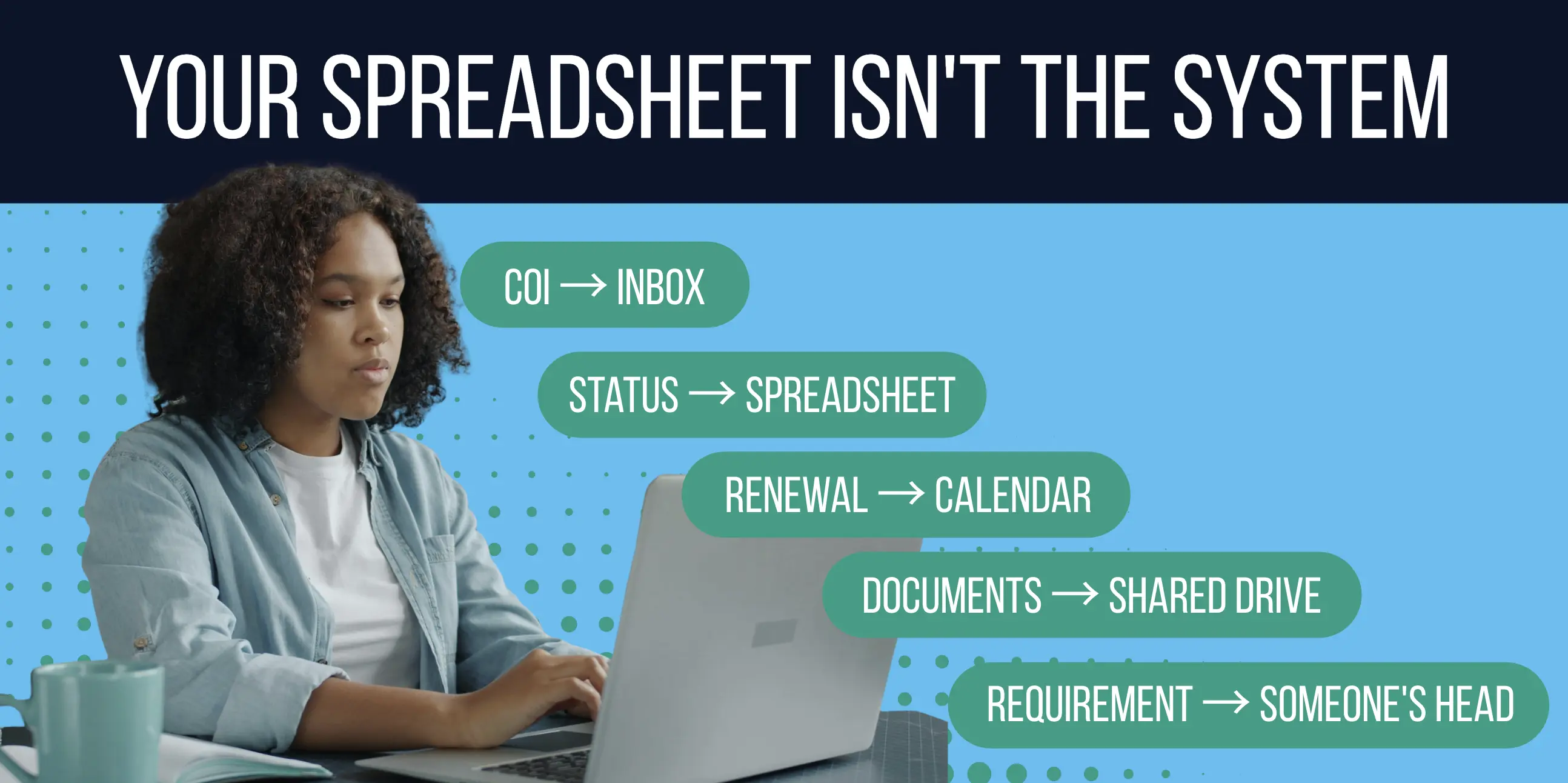
The COI is in the inbox.
The status is in the spreadsheet.
The expiration date is in the calendar.
The supporting documents are in a shared drive.
And the insurance requirement?
Someone on the team knows it.
Probably.
For many businesses, a COI tracking spreadsheet is where certificate of insurance tracking begins. It makes sense. Excel and Google Sheets are familiar, flexible, and easy to set up.
But there comes a point when you're no longer just tracking certificates.
You're managing requests. Chasing documents. Checking requirements. Monitoring expirations. Updating statuses. Handling exceptions. Answering questions. Finding proof.
And your spreadsheet is sitting in the middle of all of it.
That's when the spreadsheet stops being the system.
The problem isn't Excel. It's everything your team has to do around it.
What Is a COI Tracking Spreadsheet?
A COI tracking spreadsheet is an Excel or Google Sheets file used to organize certificate of insurance information for vendors, subcontractors, tenants, suppliers, or other third parties.
A typical spreadsheet might include:
- Company or vendor name
- Certificate received
- Policy effective date
- Policy expiration date
- Coverage information
- Compliance status
- Missing documentation
- Follow-up notes
- Document location
For a small, straightforward program, that may be enough.
The problem appears as the program grows.
A spreadsheet can store information about the process. It doesn't necessarily run the process.
And that's an important difference.
1. You Have to Check the Spreadsheet to Know Who's Compliant
Someone asks a simple question:
"Who's compliant right now?"
Can you answer it?
Or does answering require a little investigation?
Open the spreadsheet. Check whether it was updated. Find the latest COI. Look through an email thread. Confirm someone reviewed the document. Ask whether anything changed.
That's the first warning sign.
The goal of a compliance program isn't simply to have a field labeled COMPLIANT.
It's to have enough visibility to know:
- Who's compliant?
- Who isn't?
- What's missing?
- What needs attention?
You've outgrown the spreadsheet when: The spreadsheet shows a status, but your team still has to investigate whether that status is true.
2. Someone Has to Remember Who Needs a Follow-Up
Request the COI.
Wait.
Check the inbox.
Follow up.
Wait again.
Send another email.
Update the spreadsheet.
Repeat.
This is one of the biggest hidden problems with manual certificate tracking:
Your people become the workflow engine.
A spreadsheet can tell you something is missing. It can tell you a policy expires soon. With enough formulas and formatting, it can even make the cell turn red.
But someone still has to act.
Someone has to notice, remember, follow up, and update the spreadsheet again.
For larger vendor networks, that cycle becomes increasingly difficult to maintain. Our guide to automating COI tracking for large vendor networks explores how collection, renewals, and reporting can move from manual tasks into repeatable workflows.
You've outgrown the spreadsheet when: Your compliance process works because someone remembers what to do next.
3. The Spreadsheet Says "Compliant." The Proof Lives Somewhere Else.
Here's another test.
Your spreadsheet says a vendor is compliant.
Great.
Prove it.
Where's the certificate?
Where are the supporting documents?
What requirements were checked?
Is this the latest version?
Was something missing before?
Was an exception made?
Who reviewed it?
If the answers require jumping between your spreadsheet, inbox, shared drive, folders, and other systems, your spreadsheet isn't really your system of record.
It's a map to all the places your compliance information lives.
And that distinction matters when something goes wrong. A certificate sitting in a folder doesn't necessarily tell the entire compliance story when documentation is tested under pressure. What Claims Reveal About Compliance Evidence explores why the evidence behind a compliance decision matters.
You've outgrown the spreadsheet when: Your status lives in one place and the evidence supporting it lives somewhere else.
4. One Person Knows How the Whole Process Works
You probably know this person.
They know which tab is current.
They know what the colors mean.
They know which vendors need special handling.
They know who's been contacted.
They know which document you're waiting for.
They know that the status in Column M isn't quite the whole story.
They're great at their job.
They're also becoming part of your infrastructure.
When important compliance context lives primarily with one person, you've created tribal knowledge.
Vacation gets harder. Handoffs get harder. Growth gets harder.
And if that person changes roles or leaves the company, everyone suddenly discovers how much of the "system" was actually living in someone's head.
You've outgrown the spreadsheet when: Losing one person's context would make the spreadsheet significantly less useful.
5. An Expiration Creates Work Instead of Triggering a Workflow
Spreadsheets are good at dates.
You can sort them, filter them, highlight them, and build formulas around them.
You can create a beautiful red cell when something is about to expire.
But that red cell isn't the outcome you need.
It's an instruction:
Somebody needs to do something.
Now someone has to identify the vendor, find the contact, request updated documentation, monitor the response, follow up, review what comes back, and update the status.
An expiration date shouldn't just create another task for someone to remember.
In a scalable compliance process, it should help trigger a workflow.
This is where automation starts to matter—not because automation sounds impressive, but because it removes repetitive administrative work.
You've outgrown the spreadsheet when: Your expiration alerts create a to-do list instead of moving the compliance process forward.
6. Someone Asks for Proof and Your Answer Starts With "Let Me Look"
Your boss asks.
An auditor asks.
A project team asks.
A customer asks.
"Are they compliant?"
And the answer is:
"Let me look."
Now you're searching.
Inbox. Spreadsheet. Shared drive. Vendor folder. Attachments. Maybe somebody else's inbox.
This is where a tracking problem becomes a risk visibility problem.
A mature compliance process shouldn't just help you record that someone is compliant.
It should help you show why.
That's also why collecting a COI and verifying compliance aren't interchangeable. The Compliance Evidence Map: What to Request and Why explores the different forms of documentation teams may need and how they relate to insurance requirements and risk.
You've outgrown the spreadsheet when: Finding the proof takes longer than answering the question.
7. Every New Vendor Creates More Manual Work
Now imagine your vendor population doubles.
What happens?
Twice as many rows isn't the scary part.
Excel can handle rows.
The question is whether you also create:
- Twice as many document requests
- Twice as many expiration dates
- Twice as many follow-ups
- Twice as many inbox searches
- Twice as many status updates
- Twice as many opportunities for something to get missed
That's the scalability test that matters.
How much human work does each additional third party create?
If workload increases almost directly with the number of vendors, subcontractors, tenants, or other third parties you're managing, you haven't really scaled the process.
You've scaled the spreadsheet.
You've outgrown the spreadsheet when: Growth adds administrative work faster than your compliance process can absorb it.
So, When Should You Stop Using a COI Tracking Spreadsheet?
There's no magic number.
It isn't:
50 vendors = spreadsheet.
51 vendors = software.
A spreadsheet can still be perfectly reasonable when your third-party population is small, requirements are simple, expirations are manageable, follow-up is minimal, and your team can reliably maintain accurate information.
The better way to identify the breaking point is to look at the work happening outside the spreadsheet.
Ask yourself:
- How much time are we spending chasing documents?
- How often are we manually following up?
- Can we trust the status we're looking at?
- How many places do we have to search for information?
- Who knows what happens next?
- How quickly can we produce proof?
- What happens when our vendor population grows?
When those questions become difficult to answer, your problem probably isn't spreadsheet formatting.
You've outgrown the operating model around it.
What Should Replace a COI Tracking Spreadsheet?
Not another spreadsheet.
And not simply somewhere else to store PDFs.
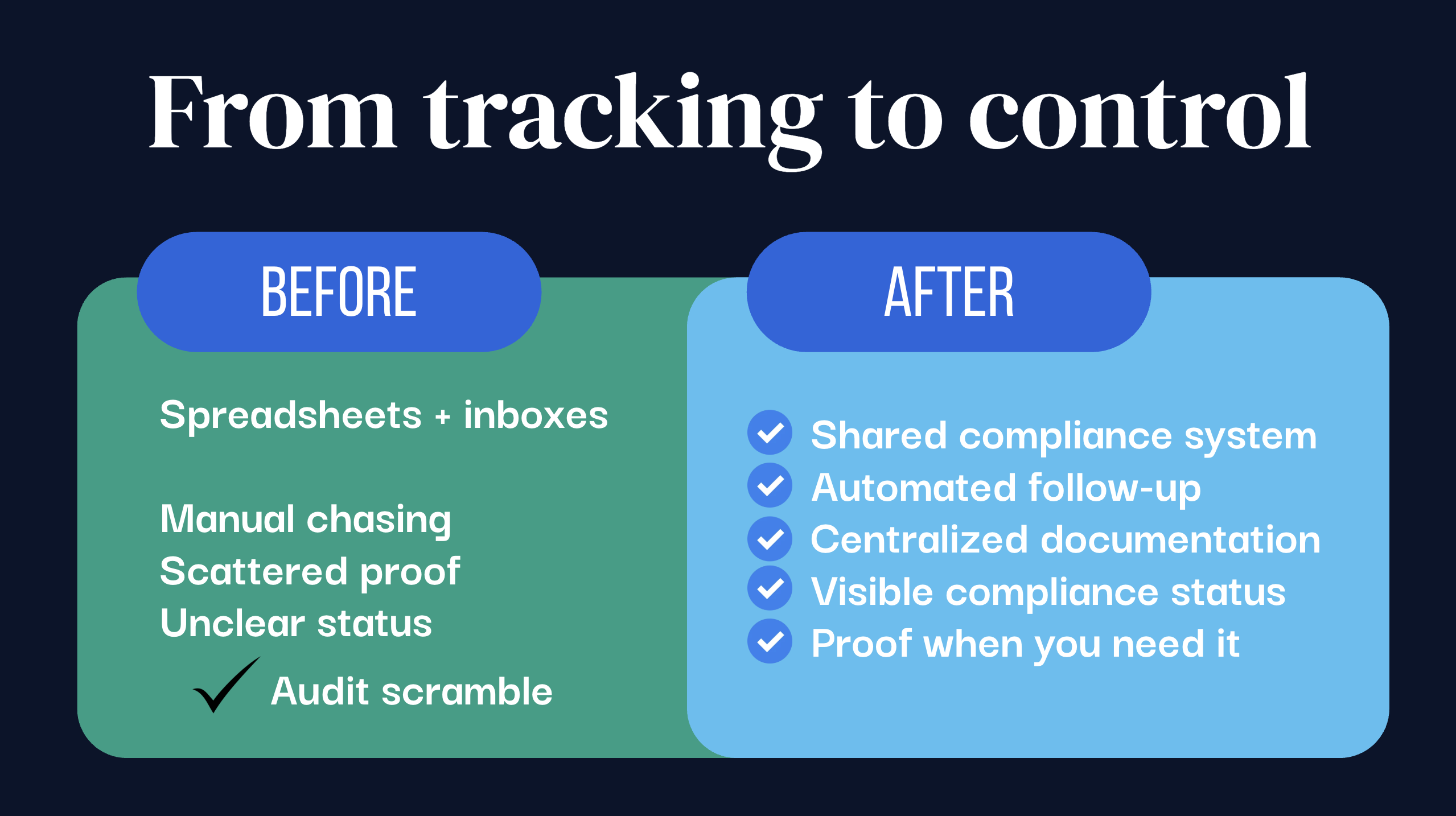
A modern COI tracking system should help manage the workflow surrounding the certificate.
That means helping your team:
Set requirements. Define what insurance documentation and coverage are required.
Request documents. Create a consistent way to collect what's needed.
Automate follow-up. Keep requests and renewals moving without relying entirely on someone remembering to send another email.
Track compliance. See who's compliant, who isn't, and what needs attention.
Monitor expirations. Identify upcoming renewals before they become gaps.
Centralize documentation. Connect status with the evidence supporting it.
Surface proof. Answer compliance questions without reconstructing the story from five different places.
Vendor onboarding is one of the first places this difference becomes obvious. Automating COI intake during vendor onboarding can move collection into the compliance workflow from the beginning instead of allowing certificates, requests, and responses to accumulate across disconnected inboxes and folders.
The larger transformation looks like this:
Manual chase → visible system of record → automated workflow → confident risk posture.
From Chasing COIs to Knowing Where You Stand
The goal shouldn't be to get better at chasing certificates.
It should be to reduce how much chasing your team has to do in the first place.
Less manual follow-up.
Less searching.
Less ambiguity.
More automation.
More visibility.
More control.
So when someone asks:
Who's compliant?
You know.
Who isn't?
You know.
What's missing?
You know.
What needs attention?
You know.
And can you prove it?
You know where to find it.
Stop chasing COIs. Know who is compliant.
Frequently Asked Questions About COI Tracking Spreadsheets
Q: What Is a COI Tracking Spreadsheet?
A COI tracking spreadsheet is an Excel or Google Sheets file used to organize certificate of insurance information for vendors, subcontractors, tenants, suppliers, or other third parties. It may track certificate status, policy dates, coverage information, expiration dates, missing documentation, and follow-up activity.
Q: Can I Track Certificates of Insurance in Excel?
Yes. Excel can work for basic COI tracking, particularly for smaller or less complex programs. Problems typically emerge as the surrounding workflow becomes more manual: collecting documents, following up, monitoring expirations, maintaining status, finding supporting documentation, and coordinating responsibility across teams.
Q: What Should a COI Tracking Spreadsheet Include?
The exact fields depend on your insurance requirements, but common fields include the third-party name, certificate status, policy effective and expiration dates, relevant coverage information, compliance status, missing items, document location, and follow-up notes.
Q: When Should I Move From a COI Spreadsheet to COI Tracking Software?
Consider dedicated COI tracking software when maintaining the spreadsheet becomes a significant administrative task, status becomes difficult to trust, documents and communication are scattered, expirations require repetitive manual follow-up, or answering "who's compliant?" requires investigation.
Q: What Is COI Tracking Software?
COI tracking software helps organizations manage certificates of insurance and the workflows surrounding them. Depending on the platform, this can include document collection, requirements, compliance status, reminders, expiration monitoring, document management, reporting, and other compliance workflows.
Q: What's the Difference Between COI Tracking and Vendor Compliance?
COI tracking focuses on collecting and managing certificates of insurance and related coverage information. Vendor compliance is broader and can include the requirements, documentation, review, follow-up, exceptions, renewals, status, and evidence needed to determine whether a third party meets an organization's standards.
Q: What Is the Biggest Limitation of Using Spreadsheets for COI Tracking?
The biggest limitation isn't spreadsheet capacity. It's workflow. A spreadsheet can store a large amount of information, but people may still need to manually collect documents, send follow-ups, maintain statuses, monitor expirations, coordinate next steps, and find supporting proof.
Q: Stop Chasing COIs. Start Knowing Where You Stand.
Your team shouldn't have to dig through spreadsheets, chase down emails, or piece together documentation just to answer a simple question: Who's compliant? TrustLayer brings your COI collection, automated follow-ups, insurance requirements, and compliance status into one place, helping you spend less time managing the process and more time managing risk. If your spreadsheet has become another full-time job, it's time to see what a better workflow looks like.
Ready to stop chasing COIs and take control of your compliance process?
See How TrustLayer Can Automate Your COI Workflow →
Book a personalized TrustLayer demo.
You might also like
.png)